Building your registry on Zola is easy!
We recommend starting with our registry checklist - it's a great way to cover all the essentials. You can also add gifts right from our online store! Browse new arrivals, brands, categories, our curated starter collections, or even other couples’ registries that we love.
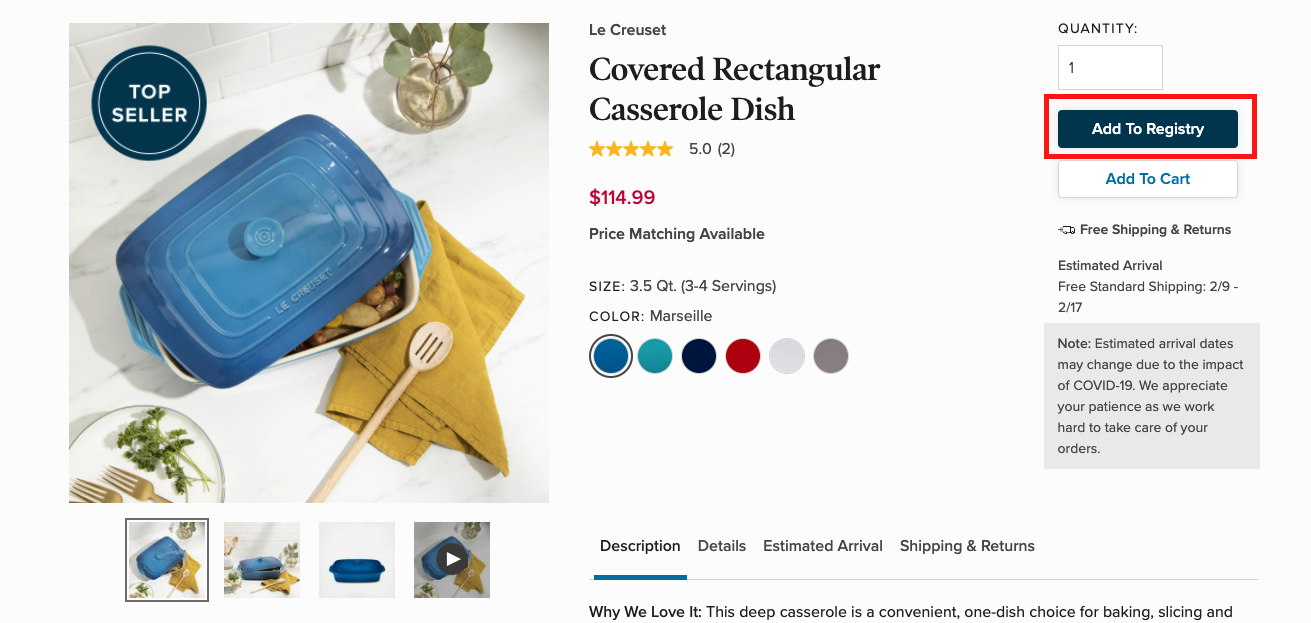
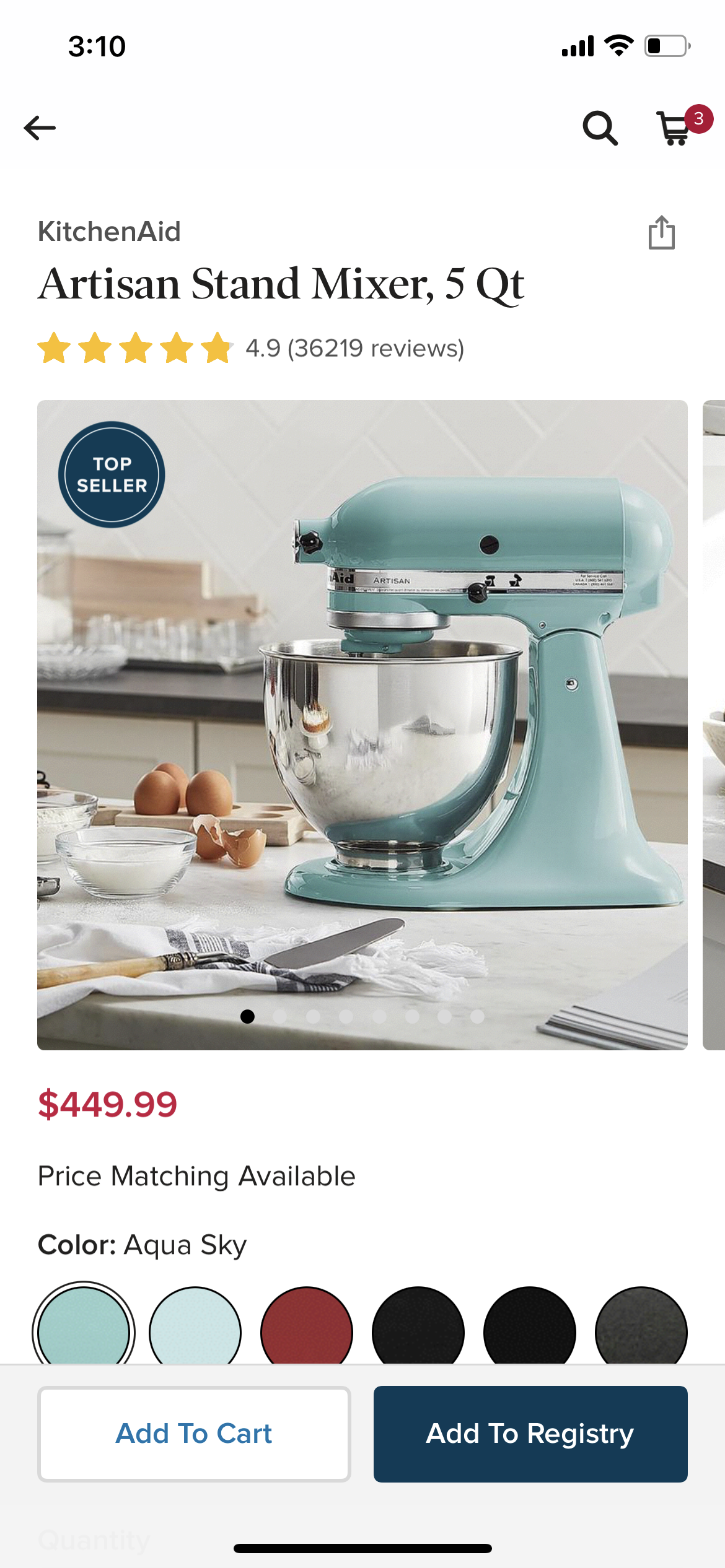
Click on any gift you see listed to open its product page. Once you’ve selected color and size where applicable, click Add To Registry (see below for screenshots from a computer and our app). It’s as easy as that!
You can also conveniently add gifts to your registry by clicking the Add Gifts button at the top of your Manage Registry page:

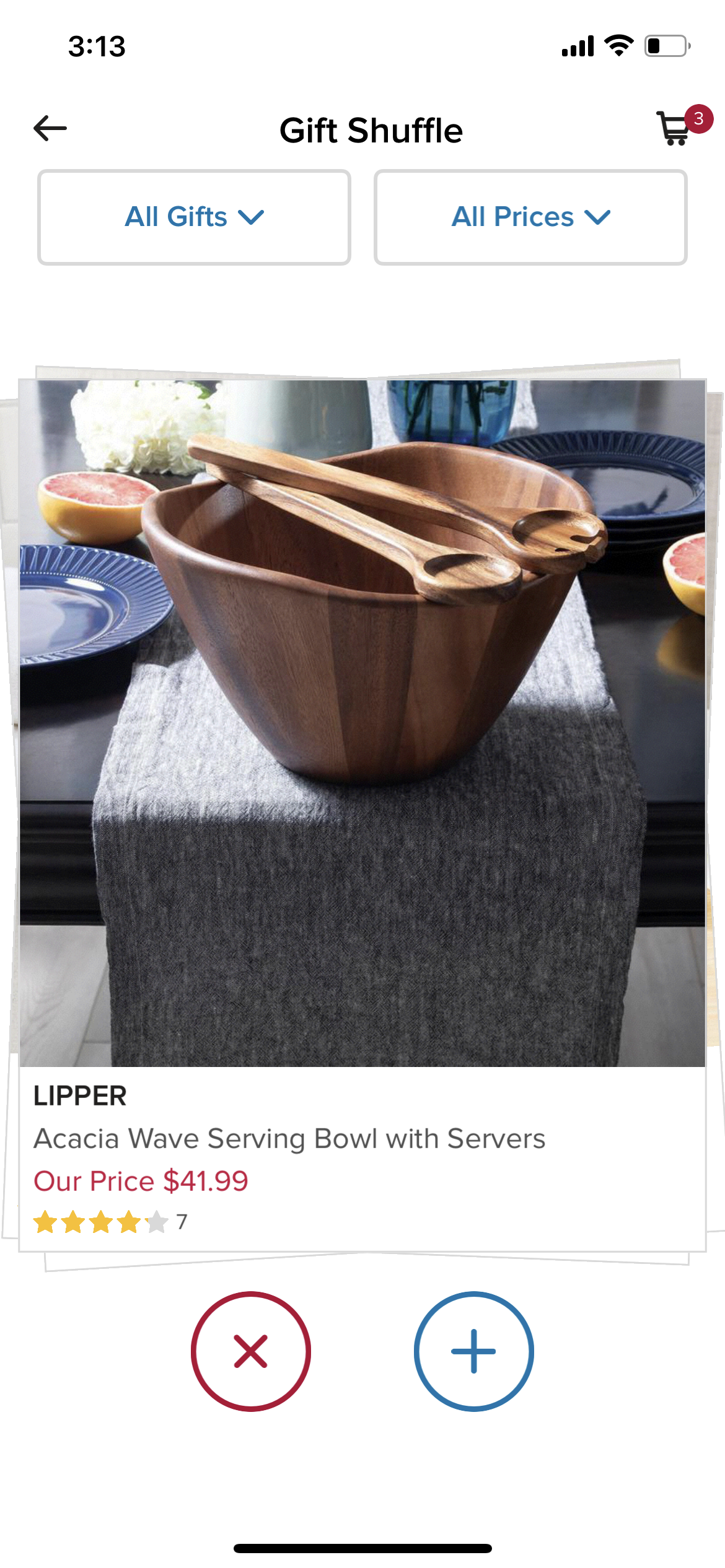
Our app is also a great way to add gifts in a flash (we even have a feature called “Gift Shuffle” where you can swipe left and right on gifts!). Download the Zola app for iOS.
Want to learn more about adding cash gifts? Click here.
Want to learn how to add gifts from another store/registry? Click here.