If you already bought a custom domain through Zola, the next step is to forward it to your Zola wedding website.
Follow these steps:
- Log in to your Domain Account
- You will be prompted to verify a security code if this is your first time entering the account
- Head to Your Account Settings under your name drop-down
- Select My Products and click “Manage” next to the DNS
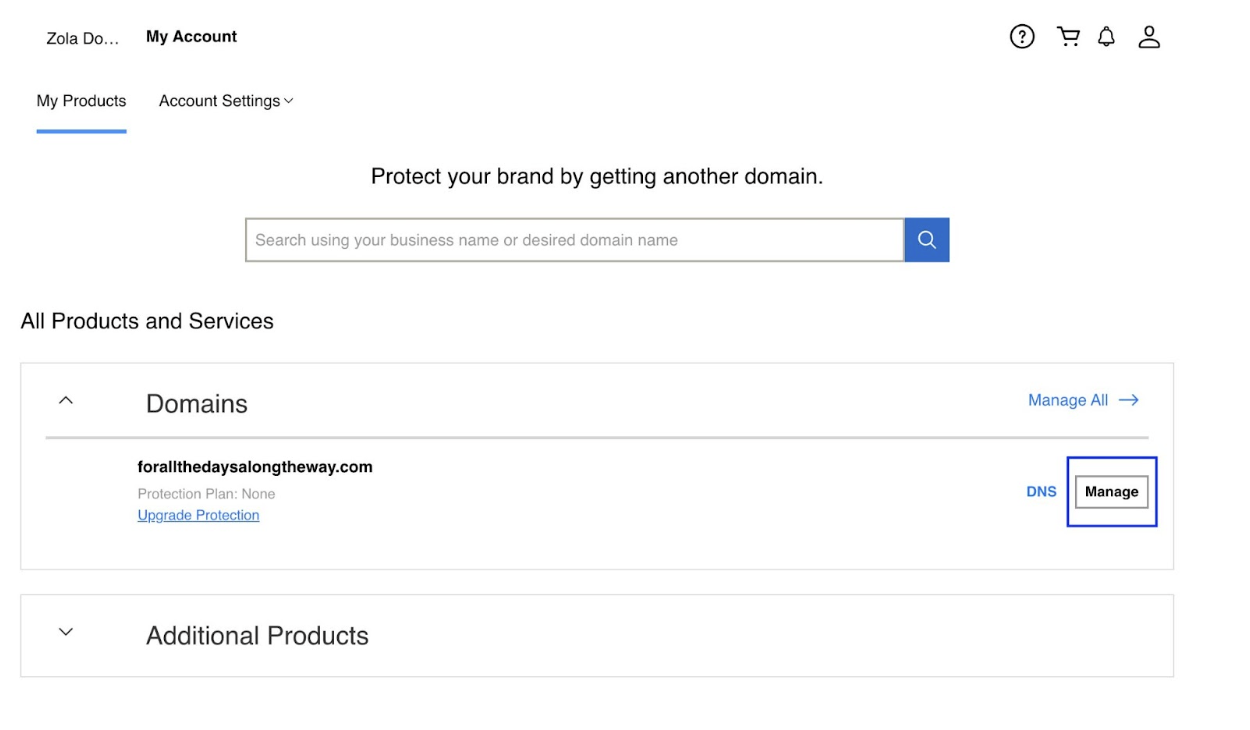
- You will find yourself on the Overview page - from there, select DNS and then select Forwarding
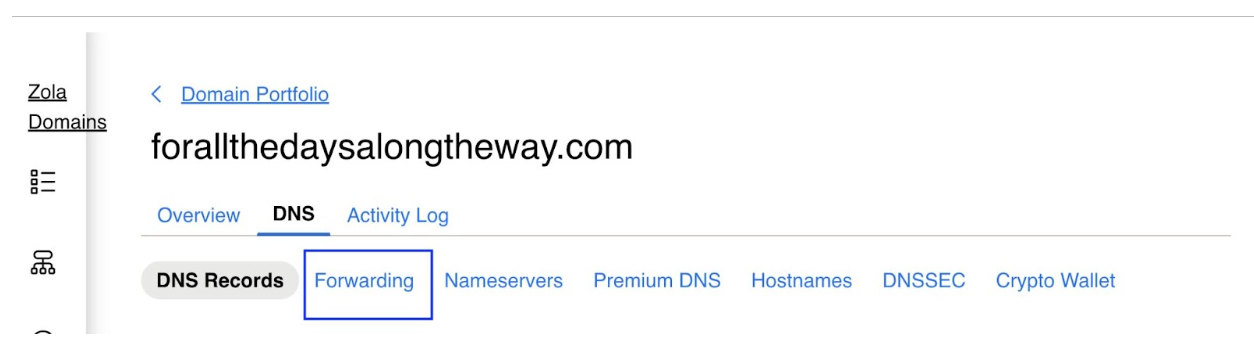
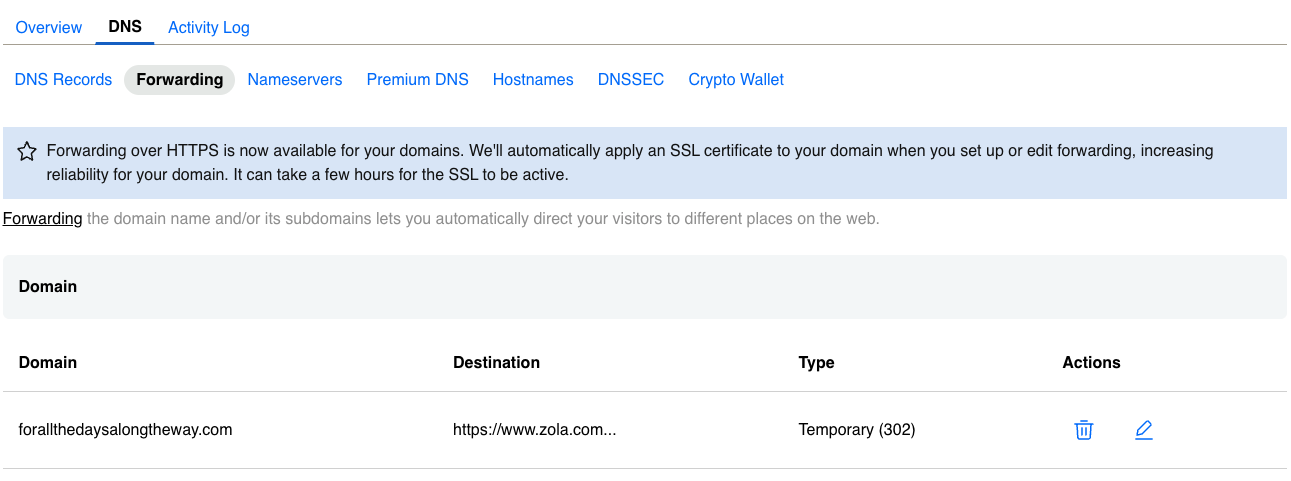
- Click on the pencil icon
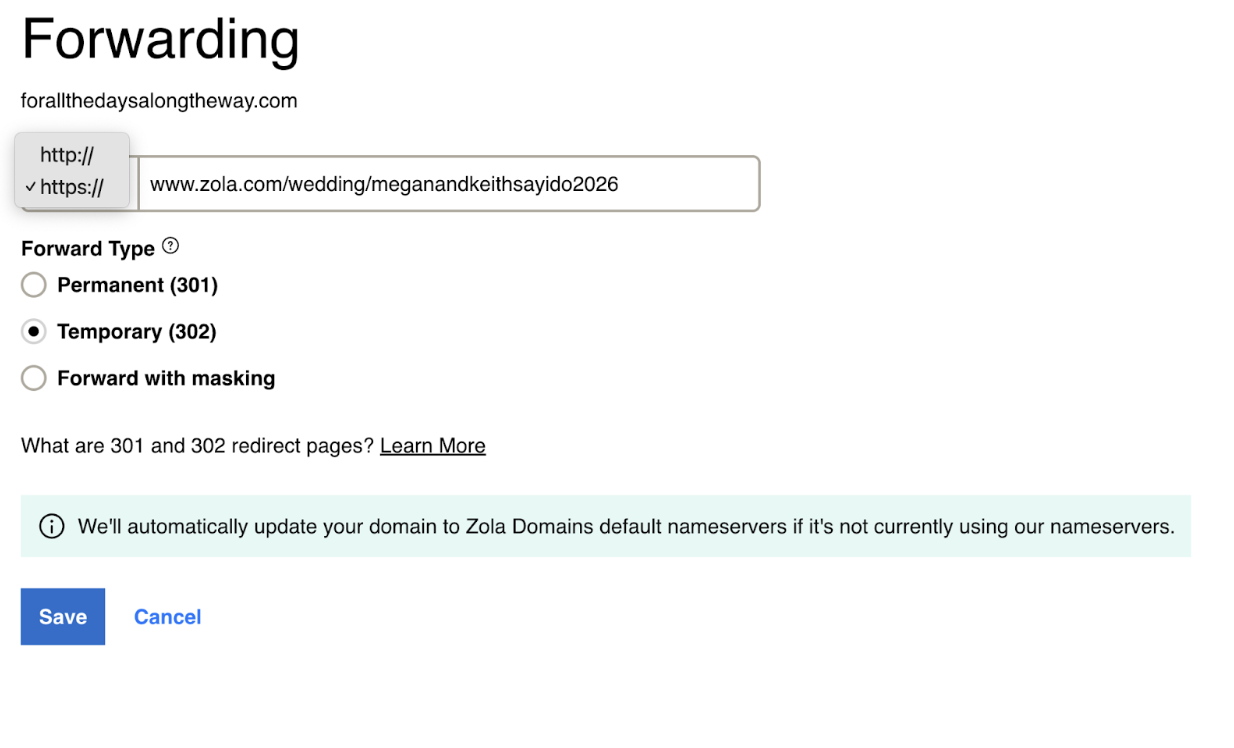
- In the drop-down click on HTTPS
- Enter your full Zola URL - www.zola.com/wedding/yourweddingkey
- Select Temporary 302, then Click Save
- You're all done!
- Please note: You must make your website "Visible to Guests" in order for your domain to work and for guests to view your website. Learn more about making your website public here.
If you want to buy a custom domain, click here to learn how.
Still have questions? Send us a note via the Contact Us form.